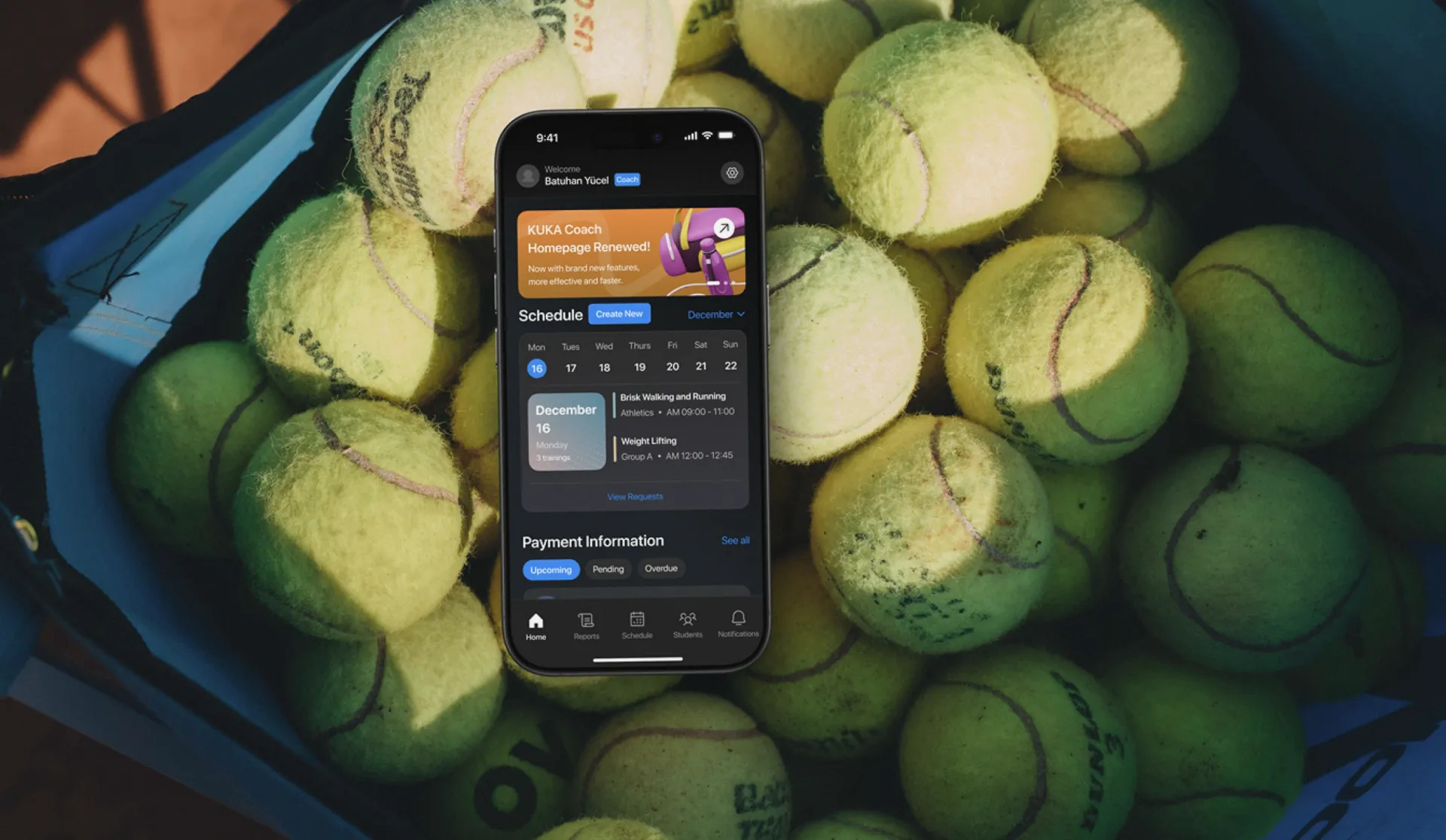
End-to-end mobile app design for a sports club management system serving coaches, students, and parents across Türkiye's sports academies and clubs.
KUKA is Türkiye's largest sports club management platform. Sports academies and clubs join the system and run their entire operation through it: scheduling, student records, coach assignments, payment tracking, attendance, performance reporting, and parent communication. blurple studio was responsible for the complete experience design of the platform, from first principles through to production, across an 8-month engagement.
A sports club management platform serves three fundamentally different users in the same session. Coaches need a fast, operational interface for managing their schedule, tracking attendance, and seeing which payments are outstanding. Students need access to their training program, their physical stats, and their remaining session count. Parents need visibility into their child's progress and timely notifications when something needs their attention. Designing one app that serves all three roles without making any role feel like an afterthought is the core design problem.
A complete dark-mode mobile application with role-based experiences for coaches, students, and parents. The coach interface centers on a weekly schedule calendar with training session detail, a student roster with group and session count data, a payment information module with upcoming/pending/overdue segmentation, and a notifications system. The student profile includes physical stats (weight, height, age, gender), remaining time and session count, access to training programs, training schedules, and testing and measurement records. The platform is deployed on iOS and Android across Türkiye's sports club network.
The Challenge
Sports club management software is typically designed for one user: the administrator. Everything else is a second-class experience. KUKA was designed differently: the platform is built for three distinct roles, and each role needs to feel like a first-class product.
The coach experience. A coach arrives at training with a phone and a group of students. They need to see who is scheduled, what the session plan is, whether any payments are outstanding, and who has not yet been added to the system. The home screen has to surface all of this at a glance, without requiring navigation. The schedule calendar, the payment information module, and the student roster all live on the coach home screen, with the ability to dive into each.
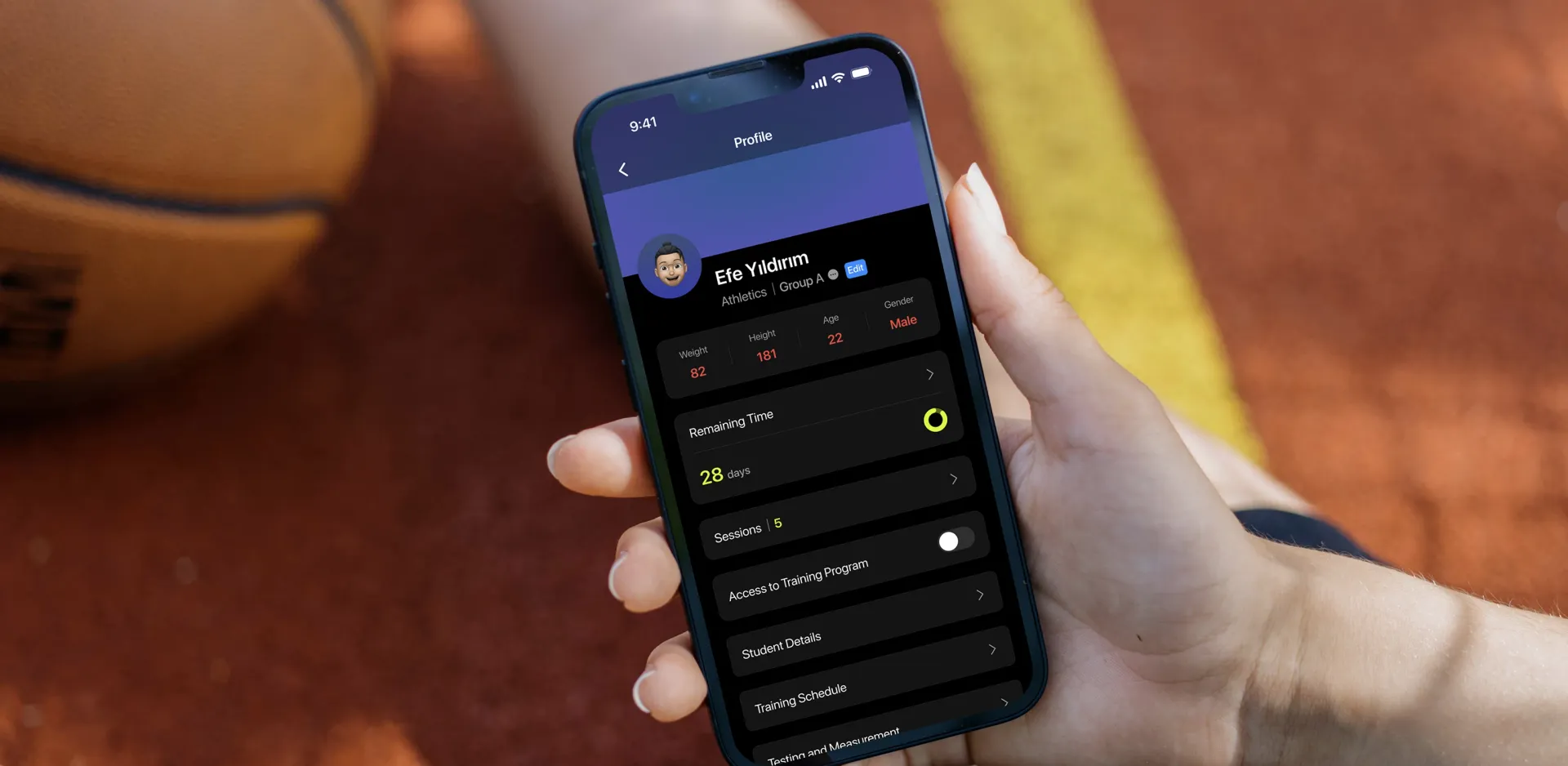
The student profile problem. Every student in the KUKA system has a profile that needs to hold: physical measurements (weight, height, age, gender), a countdown of remaining subscription time, a session count, a toggle for training program access, links to student details, training schedule, and testing and measurement history. This is a lot of structured data. The profile had to present it without feeling like a form: readable at a glance, and editable without friction.
The multi-group reality. Coaches in Türkiye's sports academies typically manage multiple groups simultaneously. The student roster needed to clearly show which groups each student belongs to, and make it easy to filter and search across the full list. The empty state, when a coach has no students assigned, needed to be clear and actionable, not just a blank screen.
Invitation and onboarding. Adding a student to the system triggers an invitation flow that ends with a confirmation screen: "Invitation sent. Student invitation has been sent successfully." This moment of positive closure is critical to coach trust in the system: if the invitation feels uncertain, coaches will add students multiple times or follow up by phone.
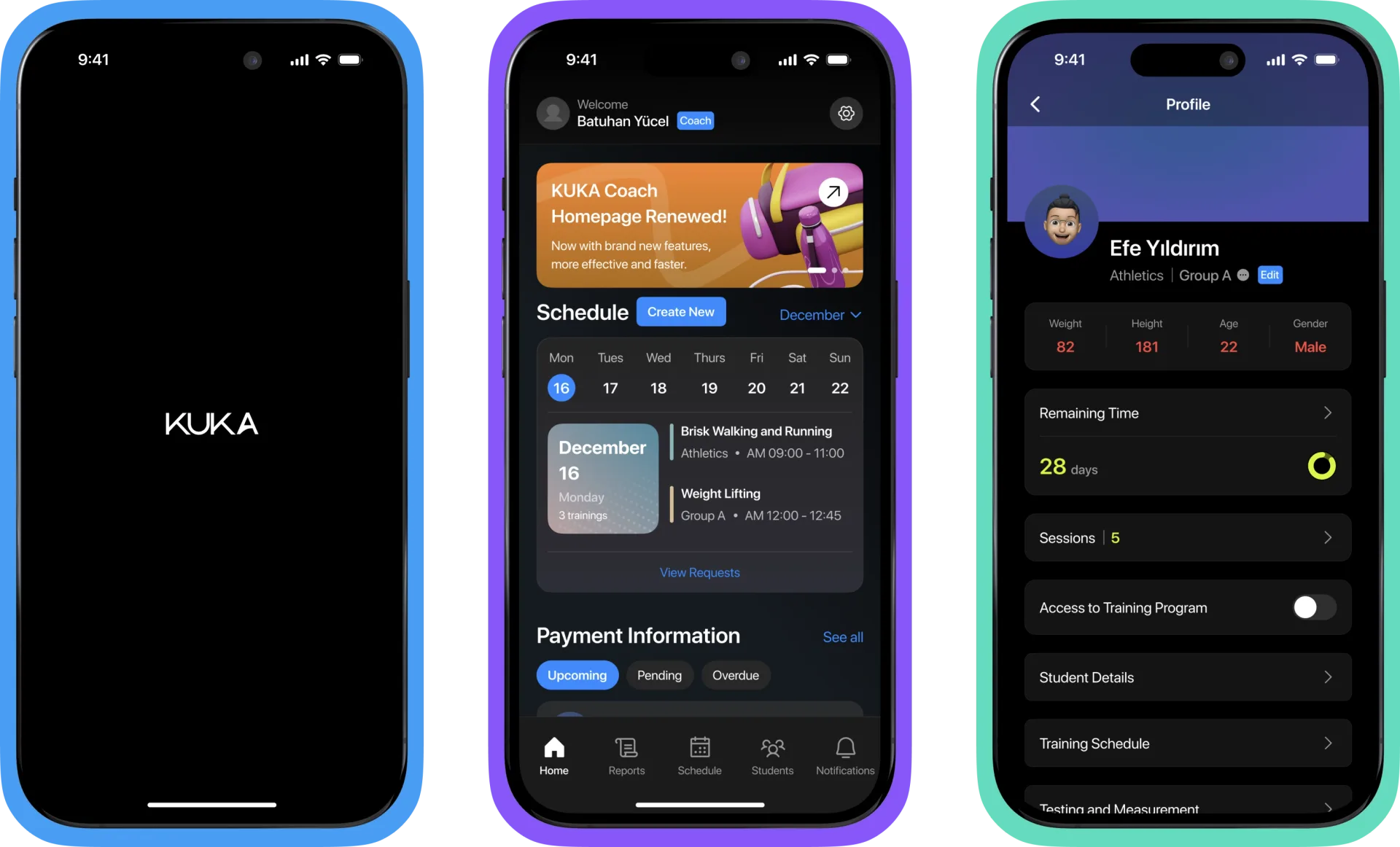 KUKA: Designing Türkiye's Largest Sports Club Management Platform · The Challenge
The Solution
KUKA was designed as a professional-grade tool. The visual language reflects this: a deep black background, high-contrast white typography, and a carefully controlled accent system (blue for primary actions, orange for announcements, green for confirmations, amber for timers). The app does not look like a consumer product. It looks like software built for people who use it every day.
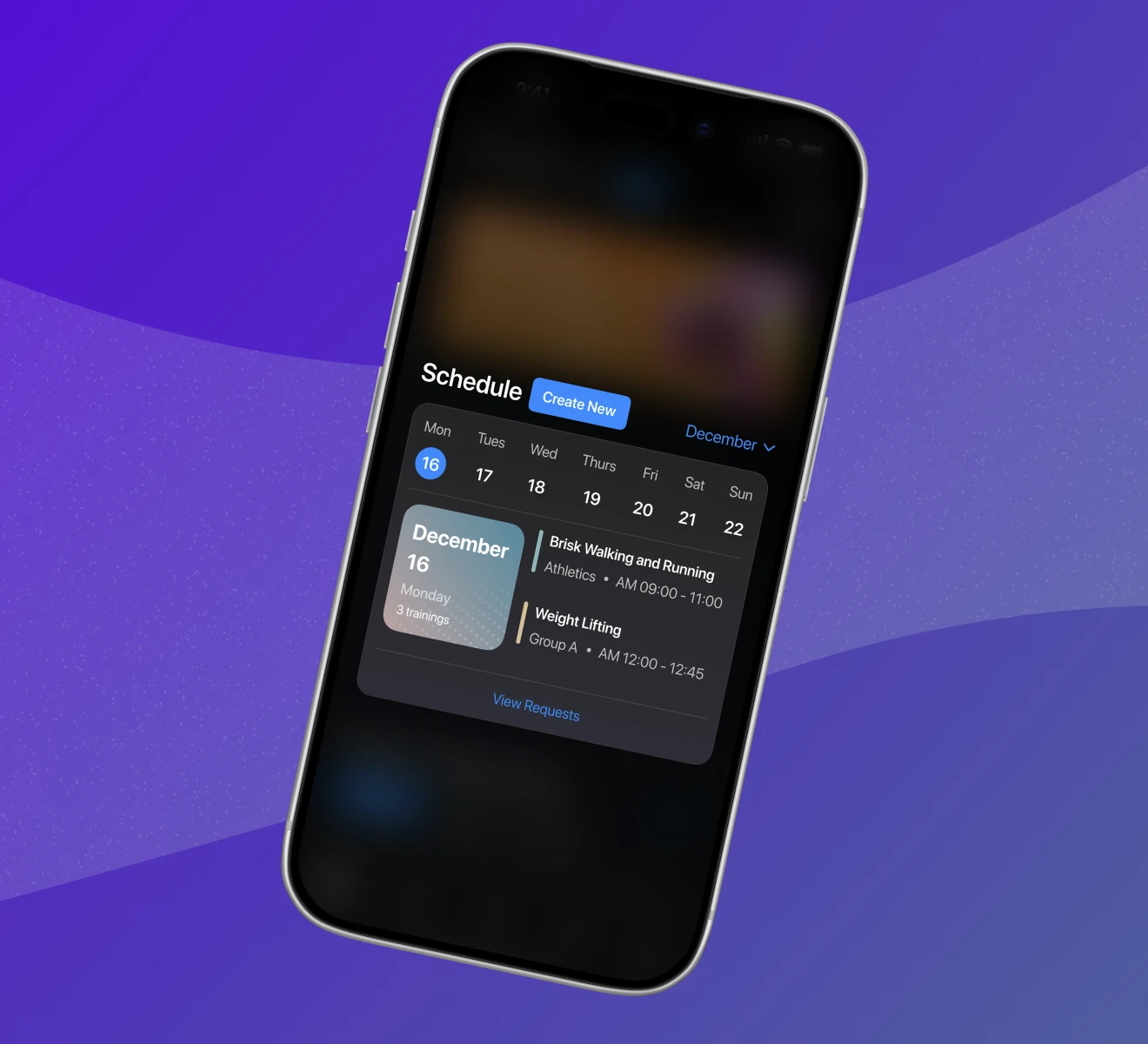
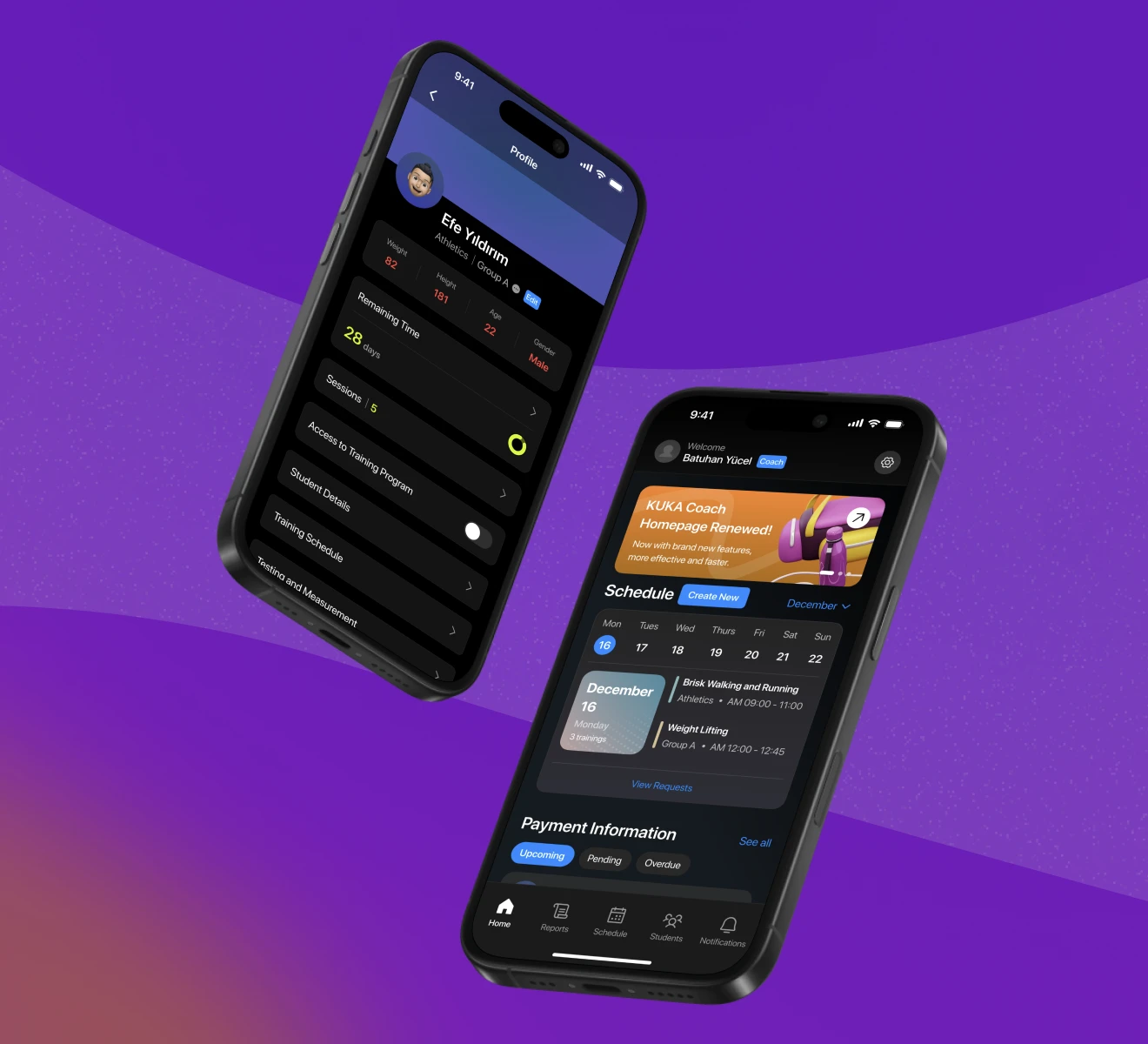
The coach home screen. The screen opens with a personalized welcome ("Welcome, Batuhan Yücel") and a coach role badge, immediately orienting the user. An announcement banner (orange, with a link-out arrow) surfaces platform updates. The Schedule module leads with a horizontal week strip, today's date highlighted in blue, and a list of the day's training sessions below it, each showing the session name, sport type, and time slot. A "View Requests" link handles pending session requests. Below the schedule, the Payment Information module shows three tab states: Upcoming, Pending, Overdue. Coaches can see exactly where money is outstanding without leaving the home screen.
The schedule calendar. The schedule tab provides a weekly calendar view with "Create New" as a persistent primary action. Each day in the week strip is a tap target. The selected day expands into a session list in the lower half of the screen. Sessions show name, group, and time. The month selector in the top right allows navigation across months without losing the weekly view context.
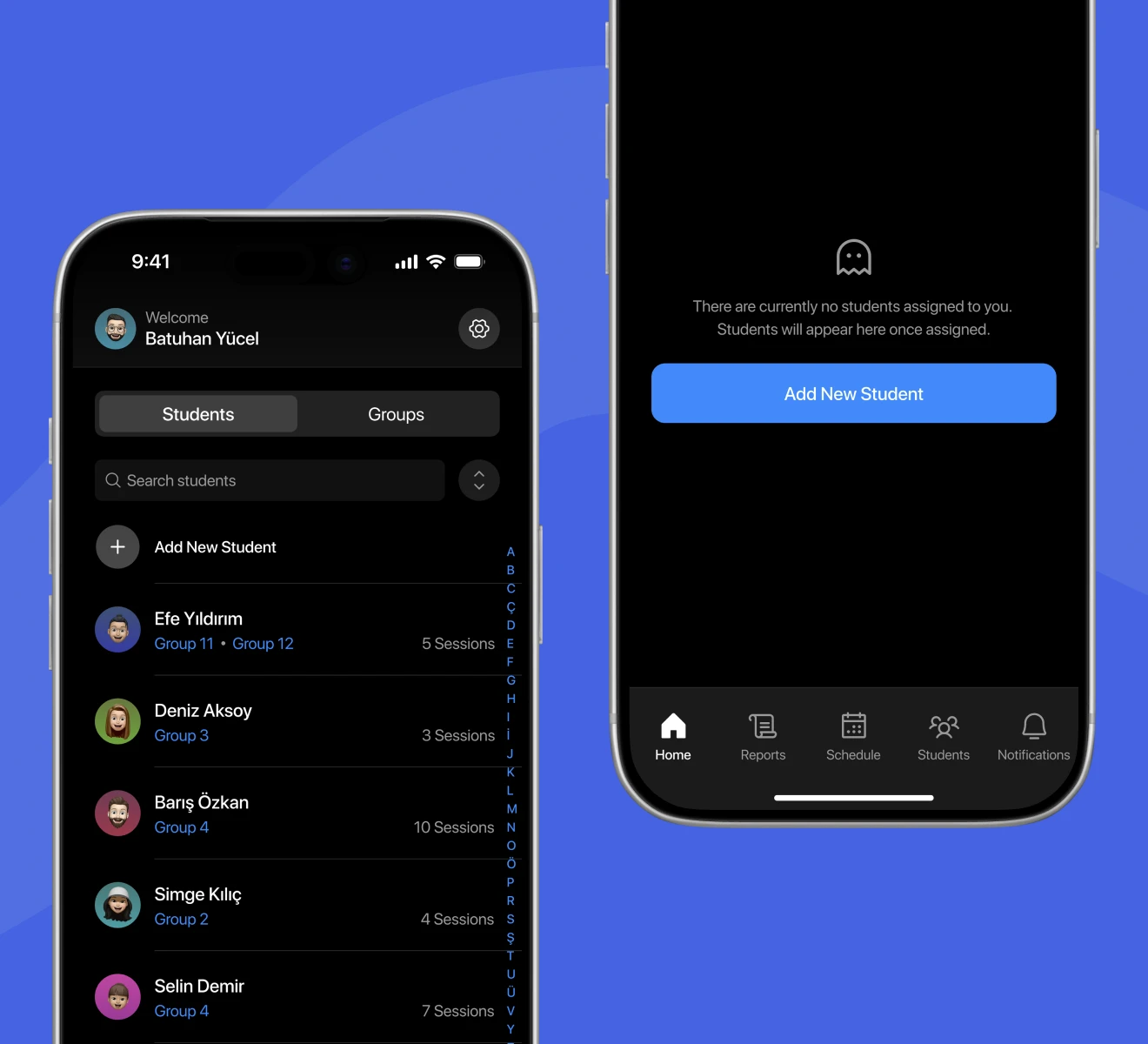
The student roster. The Students tab shows a list with alphabetical index on the right side for fast jumping. Each student row shows their avatar, name, group assignment (which can be multiple), and session count. A search bar with an advanced sort toggle sits above the list. The "Add New Student" action is a persistent first item in the list, always visible without scrolling.
The student profile. The profile screen uses a two-tone header: a blue-purple gradient band holds the student avatar and name, group, and an edit badge. Below it, on black, the physical stats row (weight, height, age, gender) is displayed in red numerals: high contrast, immediately readable. Remaining Time shows a circular progress indicator with the day count in amber. Sessions is a count with a toggle. Access to Training Program, Student Details, Training Schedule, and Testing and Measurement are all list rows with chevrons.
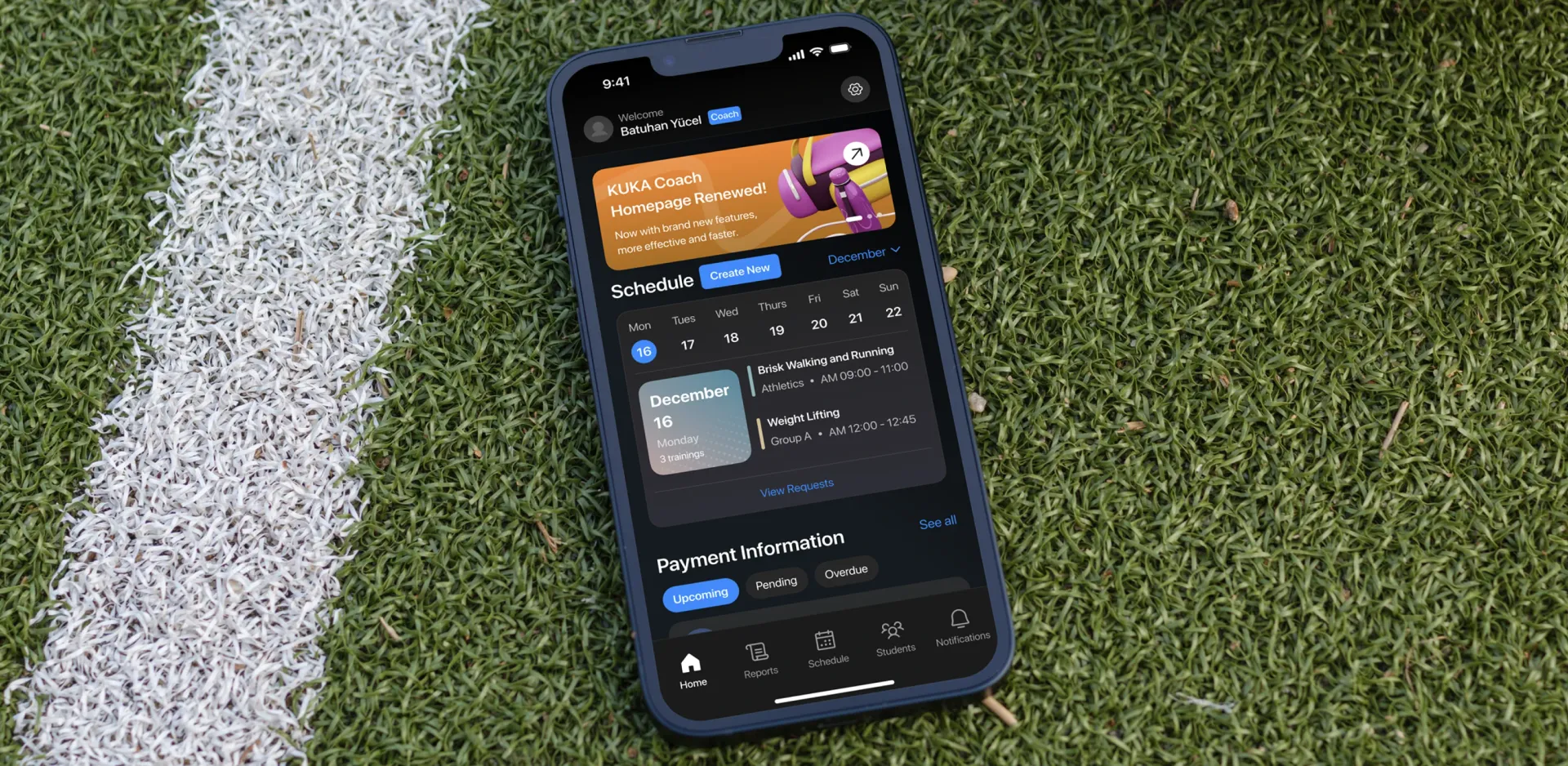 KUKA: Designing Türkiye's Largest Sports Club Management Platform · The Solution
Experience Highlights
The payment module. Payment tracking is one of the most operationally important parts of a sports club management system. Clubs operate on subscription fees, and overdue payments directly affect cash flow. The KUKA payment module presents three states, Upcoming (blue), Pending (grey), Overdue (grey with urgency context), as tab filters on the coach home screen. Coaches can see their financial position without switching to a separate app or calling an administrator.
The student list on the athletics track. The student roster is designed to be used in the field: beside the track, on the court, at the pitch. The list view is legible in sunlight (high contrast on black), the alphabetical index allows rapid scrolling, and the search bar handles the case where a coach needs to find a specific student quickly. The group label beneath each student name is color-coded, making multi-group coaches able to parse their roster at a glance.
The invitation confirmation. When a coach adds a new student and sends an invitation, the confirmation screen shows a green badge icon and "Invitation sent" in large green type, with "Student invitation has been sent successfully." in a secondary line. This is an explicit, unambiguous success state. There is one action below it: "Return to Home Page." The design of this screen is a product decision: a clear success state reduces the anxiety of a new action and prevents duplicate invitations.
The empty state. When a coach has no students assigned, the Students tab shows a ghost icon (translucent, low-key) and "There are currently no students assigned to you. Students will appear here once assigned." One primary action: "Add New Student", a full-width blue button. Empty states in daily-use tools are often the first screen a new user sees. This one is clear, calm, and immediately actionable.
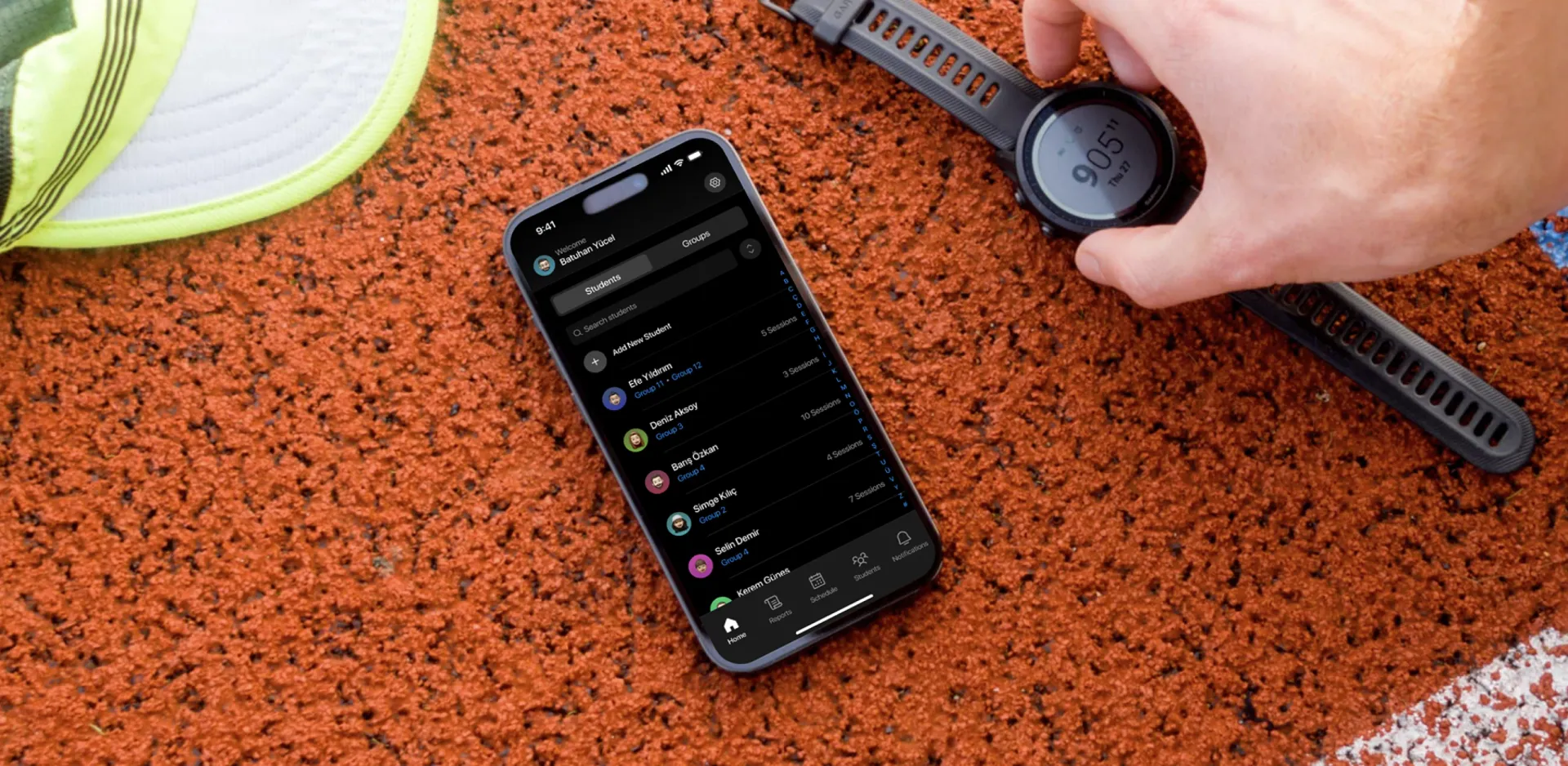 KUKA: Designing Türkiye's Largest Sports Club Management Platform · Experience Highlights
Design Process
KUKA was an 8-month end-to-end engagement. blurple studio was responsible for the complete experience design of the platform: research, information architecture, interaction design, visual design, design system, and ongoing iteration. This was not a handoff project. It was a continuous collaboration.
Focus. The north star was a platform that coaches can use during training without looking away from their students for more than a few seconds. Every screen was evaluated against the question: how many taps does it take to complete the most common action in this context? The coach home screen was redesigned multiple times to reduce the time-to-information for schedule and payment status.
Research. We mapped the operational rhythms of sports clubs in Türkiye: the daily training session structure, the monthly payment cycle, the parent communication patterns, and the coach administrative burden. The platform had to fit into how clubs actually operate, not impose a new workflow. Student groups, session counts, and physical measurement records are all first-class data objects in KUKA because they are first-class operational concerns in Turkish sports academies.
Act. The dark-mode design system was a deliberate choice: sports professionals use their phones outdoors and in bright field conditions. A dark interface with high-contrast accents was chosen for glare and long outdoor sessions. The accent color system (blue for actions, orange for announcements, green for confirmations, amber for time-sensitive data) was developed to encode meaning without relying on text labels alone.
Measure. The key metrics were: time-to-session-start (how fast can a coach get to today's schedule), payment visibility (how many taps to see outstanding payments), and student-add completion rate (does the invitation flow convert without drop-off). The confirmation screen for student invitations was added after early feedback showed coaches were unsure whether their actions had completed.
Evolve. Over 8 months, the platform grew from a core coach interface to a multi-role system with student profiles, group management, and a full payment module. The design system built in the early phases was robust enough to accommodate this growth without visual inconsistency.
 KUKA: Designing Türkiye's Largest Sports Club Management Platform · Design Process