FlowQi: Designing an All-in-One Business Platform from the Ground Up
A three-year product partnership covering information architecture, feature naming, UX research, and full UI design for a B2B SaaS platform built in the Netherlands.
FlowQi is an all-in-one business process automation platform designed to replace the fragmented tool stacks that slow down SMBs, startups, and freelancers. Built by FlowQi Group B.V. in Utrecht, Netherlands, the platform consolidates CRM, project management, sales pipelines, invoicing, forms, and collaboration into a single interface. Blurple has been FlowQi's design partner from the beginning, responsible for every design decision the product has ever made.
Starting a B2B SaaS product from zero means making foundational decisions that compound across years of development. Information architecture errors surface slowly and expensively. Feature naming affects how users understand the product, onboarding speed, and how teams talk about it internally. And with five or more interconnected modules, every UI decision in one area creates constraints in every other. Getting the foundations wrong is not easily fixed.
A fully designed, live B2B SaaS platform with five integrated modules: FlowQi CRM, Sales Tool, Invoice Tool, Product Management, and Forms Tool. The platform is in active development by FlowQi Group B.V. and continues to evolve through an ongoing design partnership with blurple studio.
The Challenge
FlowQi's ambition is straightforward and extremely difficult to execute. Replace Salesforce, HubSpot, and Asana for small and medium-sized businesses with a single platform that does not require a dedicated admin to configure. The product had to be powerful enough for professional use and simple enough that a freelancer could onboard without reading a manual.
The "app fatigue" problem. FlowQi's target users were not looking for another tool. They were looking for fewer tools. That meant every module had to earn its place in a unified interface without adding the cognitive overhead it was meant to eliminate.
Information architecture at product scale. Building five interconnected modules from zero required upfront decisions that would constrain every future design choice. Navigation structure, module naming, data relationships between CRM and invoicing, between tasks and projects, between forms and records: all of these had to be designed together, not sequentially.
Naming as a design problem. FlowQi needed its own product language. Generic terms like "contacts" or "deals" carry legacy associations from other tools. Feature names like Task2Meet and Sales Tool were designed to communicate function immediately, without relying on tooltips or onboarding flows to explain them.
 FlowQi: Designing an All-in-One Business Platform from the Ground Up · The Challenge
The Solution
We approached FlowQi as a product system, not a collection of features. Every module shares the same navigation architecture, the same component language, and the same interaction patterns. A user who learns how the CRM works understands 80% of how the Sales Tool works before they open it.
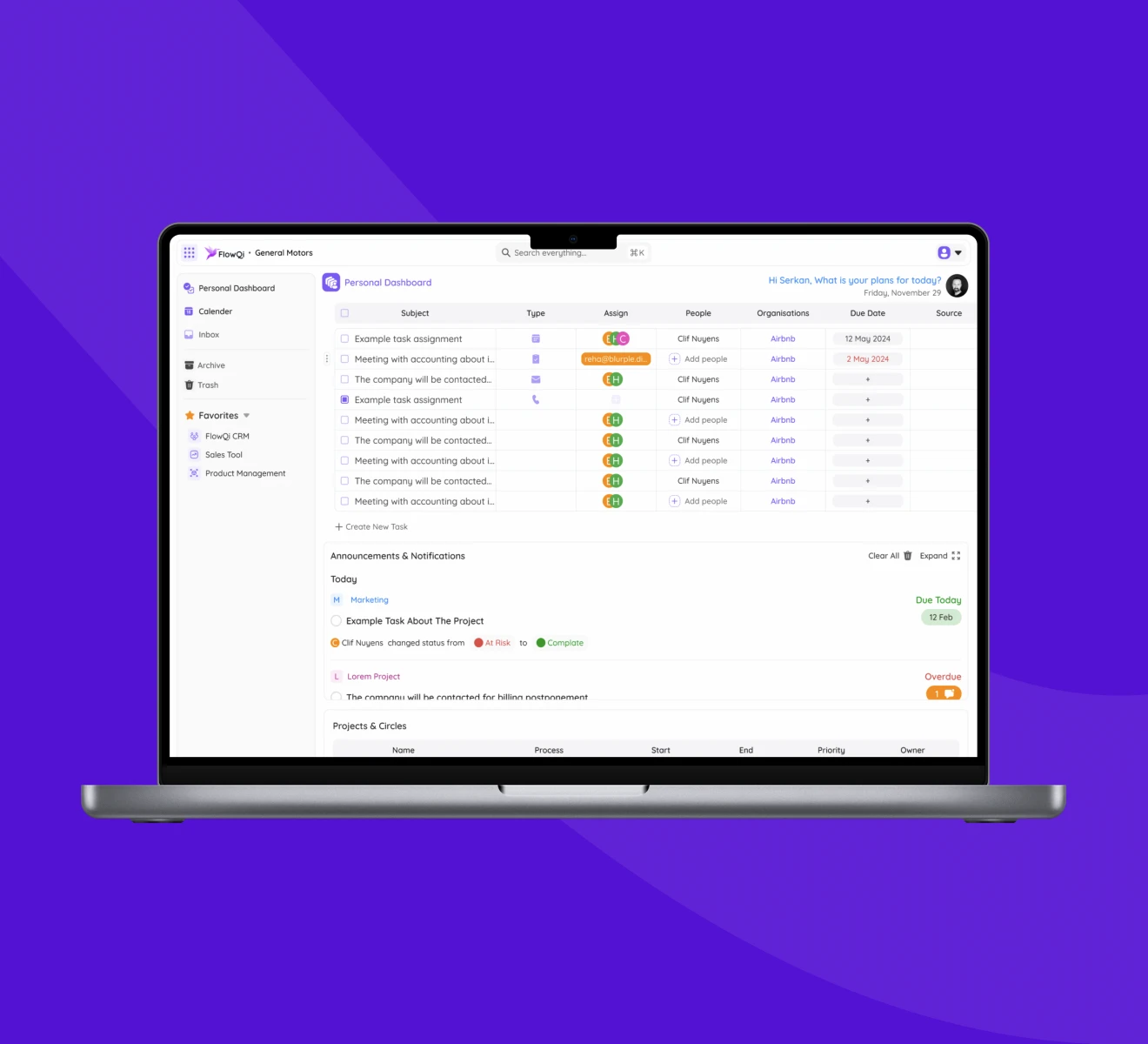
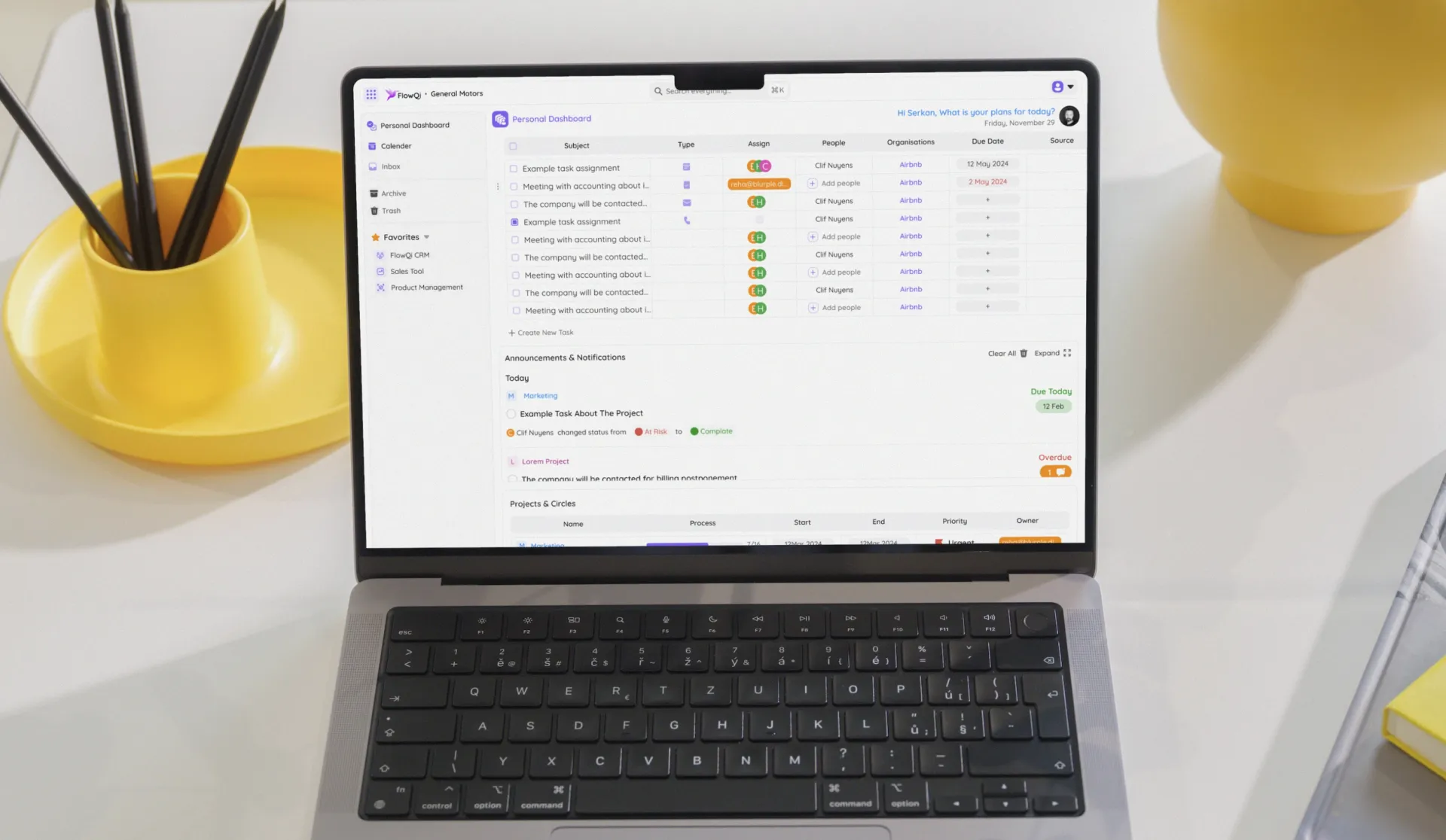
Personal Dashboard as the control center. The hub of the platform is a cross-module task view: all tasks, all projects, all announcements, all deadlines, regardless of which module generated them. The Personal Dashboard reduces the context switching that FlowQi was built to eliminate.
Module architecture that scales. Each module (FlowQi CRM, Sales Tool, Invoice Tool, Product Management, Forms Tool) is structured with the same left-panel navigation pattern: a primary module nav, a Favorites section for quick access, and cross-module shortcuts at the bottom. Users build personal workflows by starring the views and modules they use most.
Automation as the default. Where most task managers require manual input, FlowQi generates tasks automatically as users work through different modules. A deal in the Sales Tool can automatically generate a follow-up task. A completed project can trigger an invoice. The UI was designed to make these automations discoverable and editable without requiring technical configuration.
Transparent pricing reflected in the interface. FlowQi's pay-for-what-you-use model required an interface that made module boundaries visible without making them feel like paywalls. The design keeps the platform feeling unified while respecting the commercial architecture underneath it.
 FlowQi: Designing an All-in-One Business Platform from the Ground Up · The Solution
Experience Highlights
Personal Dashboard
The entry point to FlowQi. A task table showing every action item across every module, sorted by due date, with people and organization attribution. Announcements and Notifications and Projects and Circles sections below keep the full context of the workday visible without requiring module switching.
Sales Tool
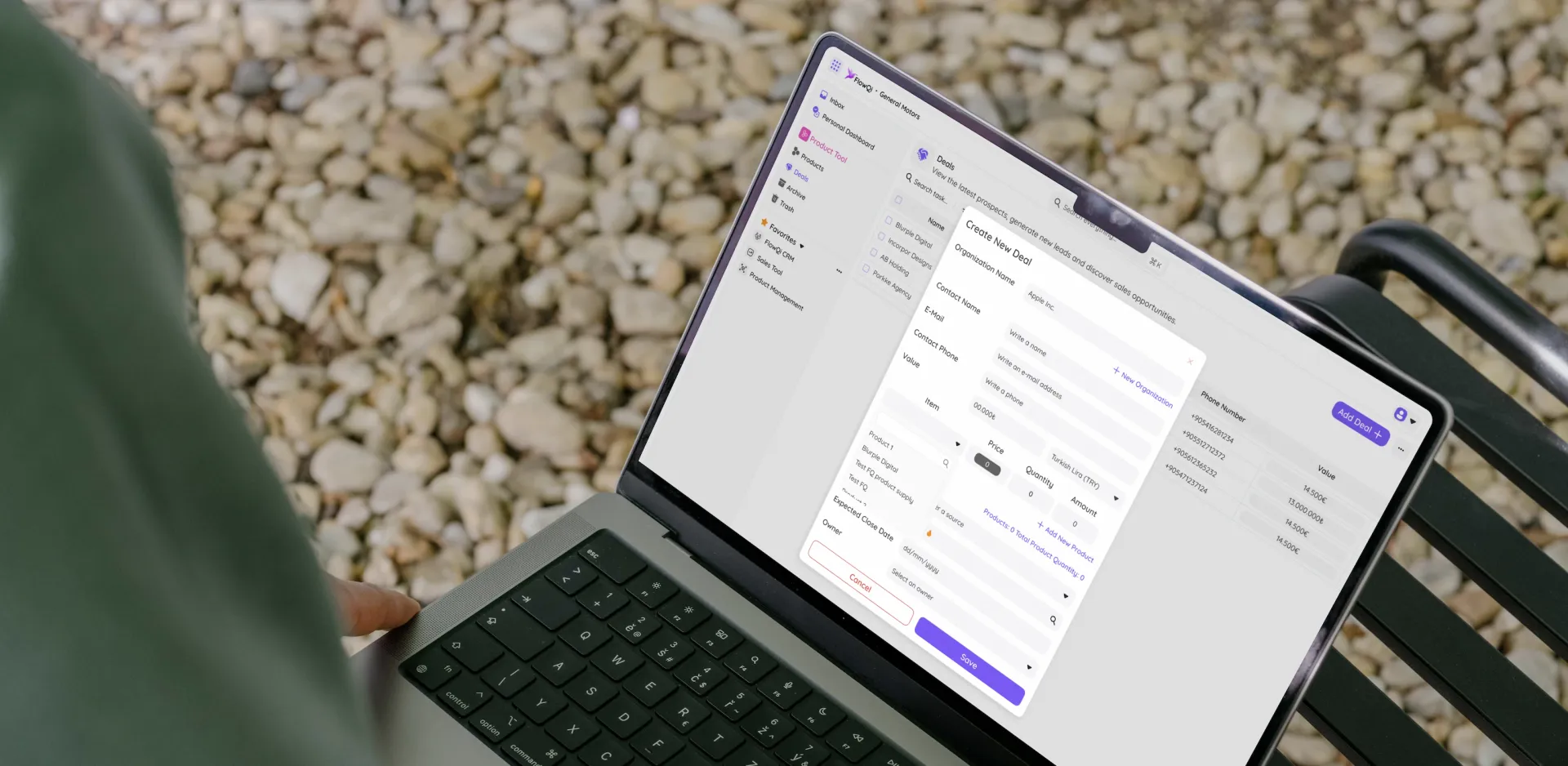
The Create New Deal interface captures organization, contact, items, quantities, and pricing in a single structured form. Sales pipelines are designed for speed: each field is labeled for clarity, products link to the Product Management module automatically, and deals route to invoicing on completion.
Invoice Tool
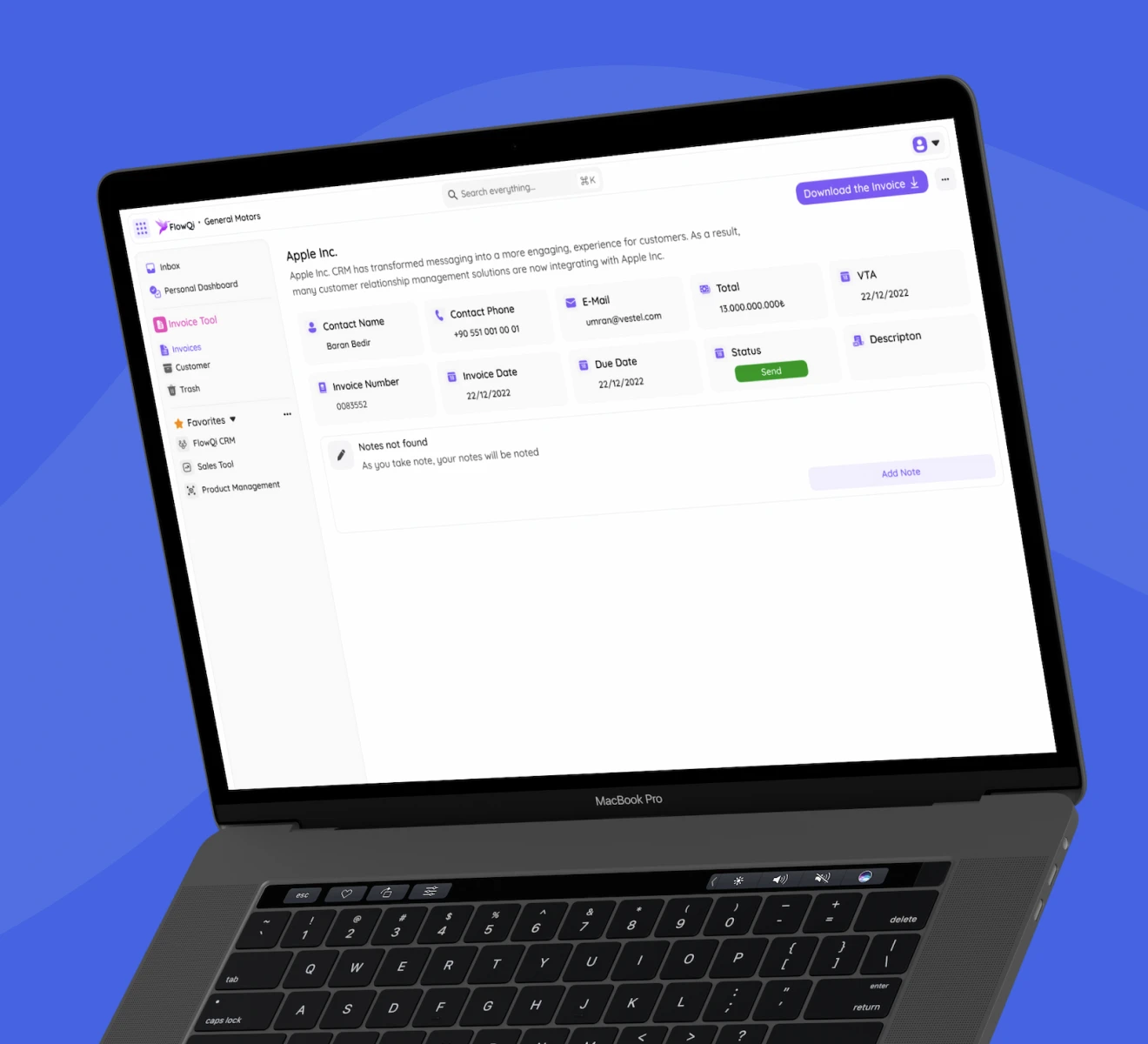
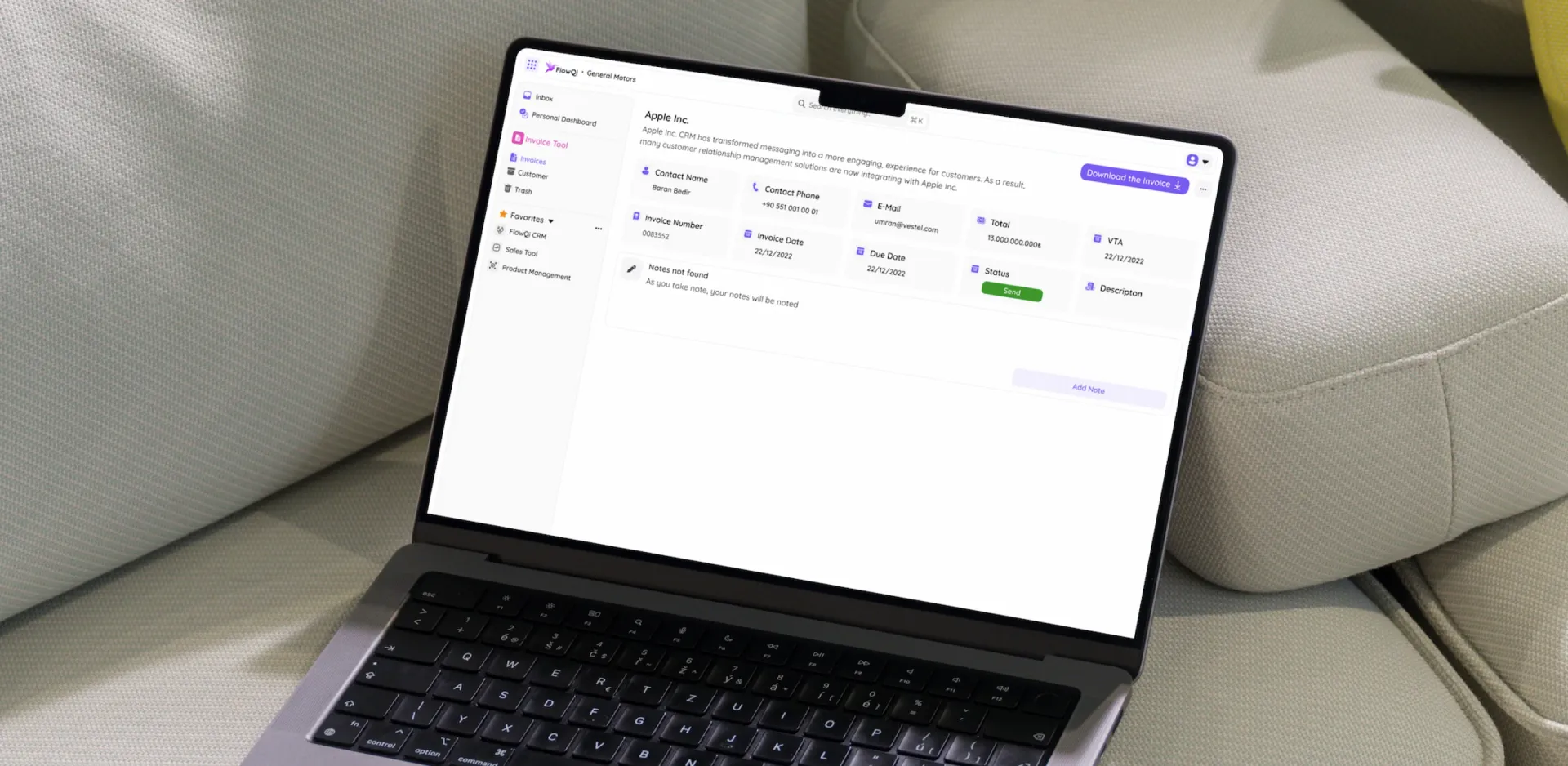
Invoices are generated from deal data and presented with full client information, amounts, VAT, status, and due dates on a single screen. The Download the Invoice button is persistent and prominent. Notes can be added to any invoice for record-keeping without leaving the view.
Forms Tool
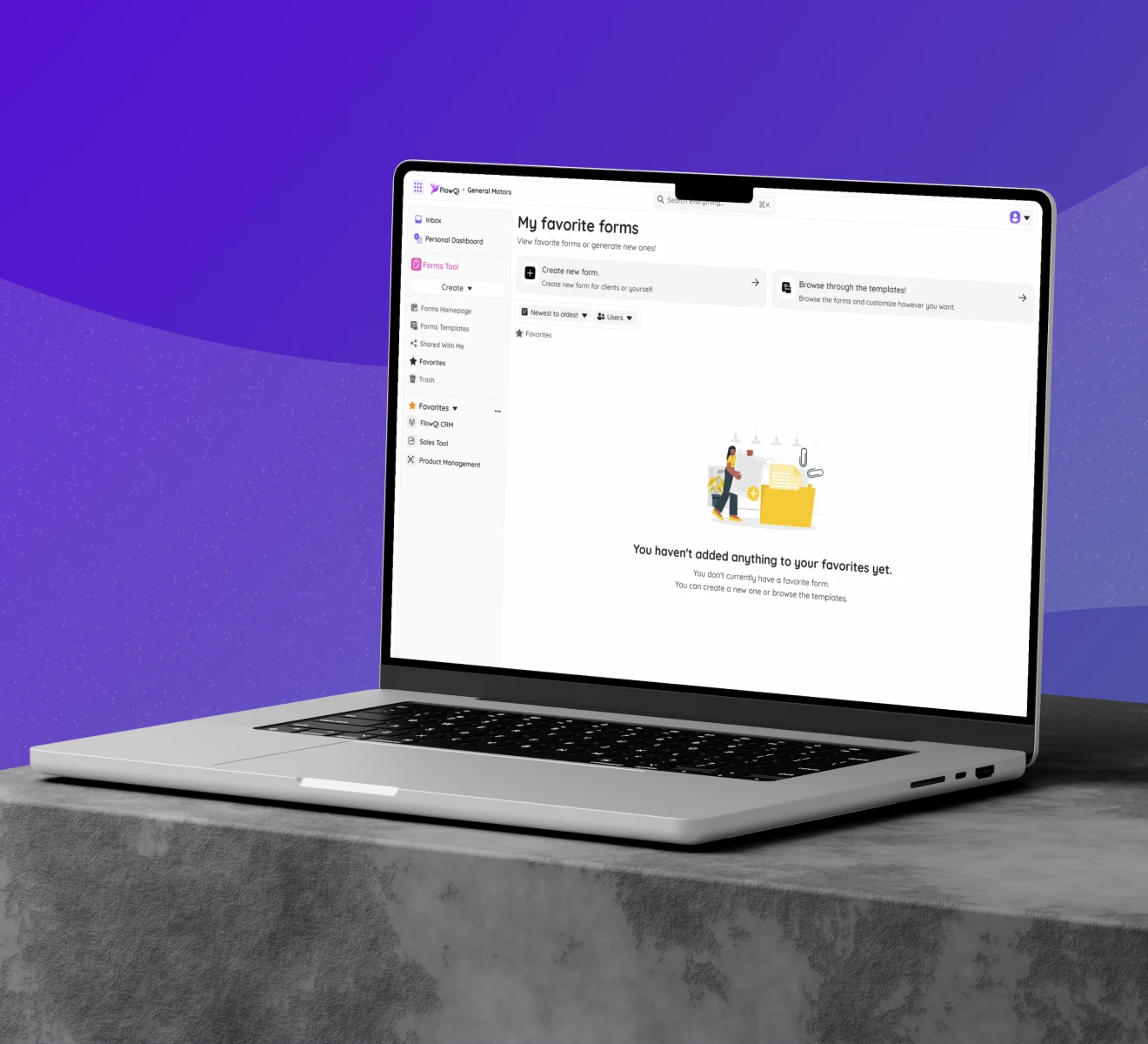
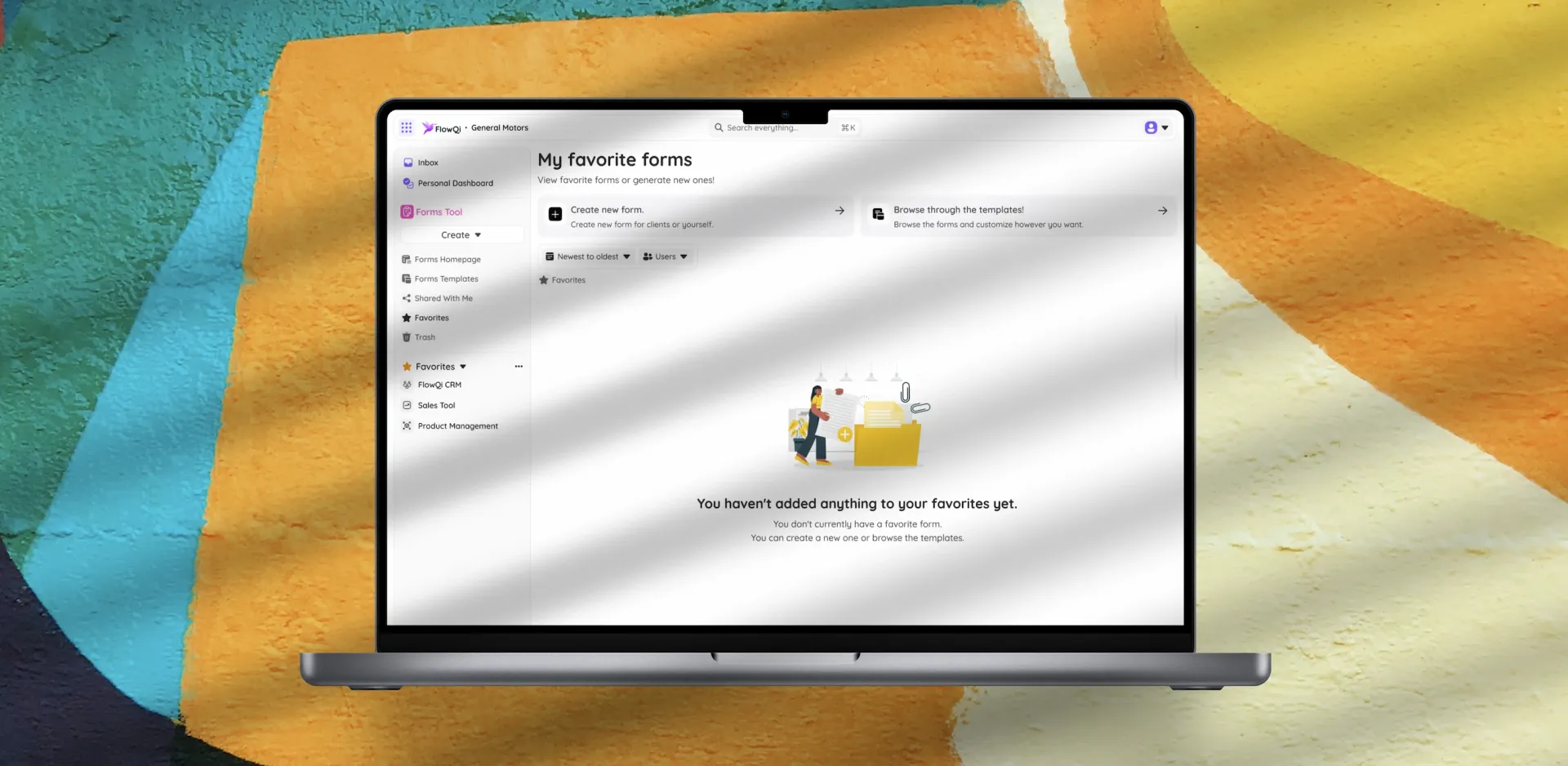
FlowQi Forms allows users to create forms for clients or internal use, browse and customize templates, and share forms across the organization. The module uses a familiar empty-state pattern with clear call-to-action paths to reduce friction for first-time users.
 FlowQi: Designing an All-in-One Business Platform from the Ground Up · Experience Highlights
Design Process
A three-year product partnership does not follow a single Experience Loop cycle. It runs the Experience Loop continuously, with each module, each feature, and each iteration passing through the full methodology.
Focus: The north star for FlowQi has remained constant: a business user should be able to replace three or more tools with FlowQi and feel less overwhelmed, not more. Every new feature is evaluated against this standard before it enters the design pipeline.
Research: UX research at FlowQi is continuous. User interviews, session analysis, and competitive review inform each module's evolution. Early-stage research established the IA foundations. Ongoing research drives feature prioritization and validates each new capability before it ships.
Act: We design at the system level first, the module level second, and the screen level third. Component decisions are made once and propagated across all modules. This keeps the design team fast and the product coherent as new features are added.
Measure: Each module has defined success metrics: onboarding completion rate, feature adoption depth, and task completion speed. These feed back into the next research cycle and keep the partnership grounded in product outcomes rather than design preferences.
Evolve: Three years in, FlowQi's design system is mature enough to onboard new modules without starting from scratch. The Forms Tool and Product Management module were designed in a fraction of the time required for the first modules, because the foundations were already proven.
 FlowQi: Designing an All-in-One Business Platform from the Ground Up · Design Process